
Project Overview
Organization: VideoLAN (the creators of the legendary VLC media player)
Project: Improving the VLC for Unity Developer Experience and Ecosystem
Mentor: Martin Finkel
Being part of Google Summer of Code with an organization like VideoLAN was an incredible opportunity to work within the ecosystem of one of the most widely used open-source media engines in the world. The goal of this project was to move the VLC-Unity plugin away from isolated demo scripts and turn it into a production-ready package. This required centralizing the architecture, deeply integrating the plugin with standard Unity workflows, and building missing features like Unity Timeline support, alongside custom preloading and playlist APIs.
Merge Requests
Core Architecture & Native Bridge
- Centralized VLCMediaPlayer
- Proxy DLL Hot-Reloading
- Native-to-Unity Logging Architecture (Superseded by #186)
Playback Features & Ecosystem
Tooling & Demos
- ScriptableObject Configurations
- StreamStats UI
- Dynamic Lighting Demo
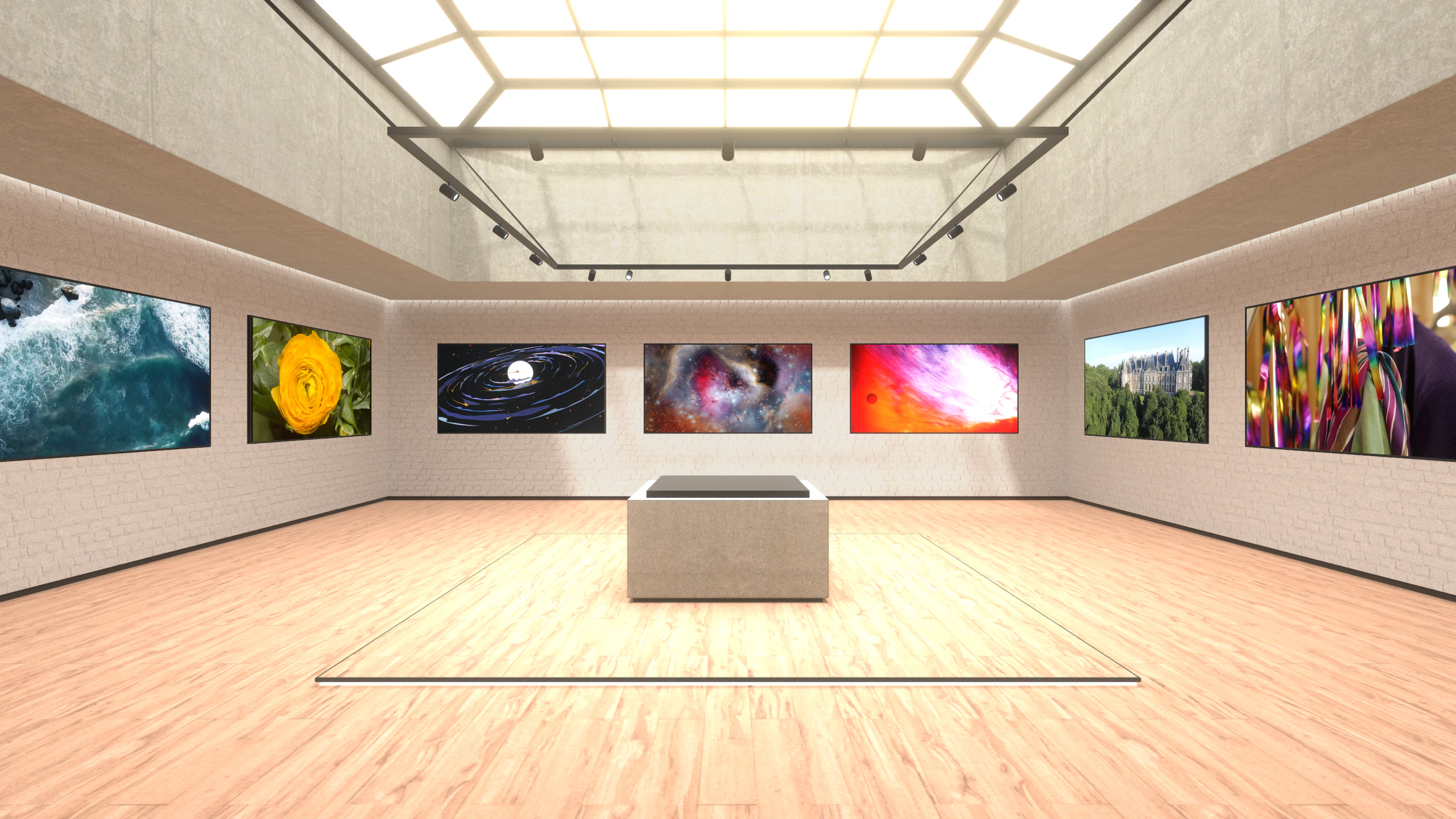
- Mosaic Demo
- Automated UnityPackage CI
Centralized VLCMediaPlayer
Previously, the project relied on separate, single-purpose scripts (VLCMinimalPlayback.cs, VLCTransparentVideoPlayback.cs, etc.) depending on the use case. I replaced these with a single VLCMediaPlayer MonoBehaviour component that centralizes LibVLC instance management, state tracking, and event routing.
Because LibVLC operates on background C++ threads while Unity requires main-thread execution for most engine calls, state changes are queued through a ConcurrentQueue<Action> within the player. This queue is processed during Unity’s Update() loop, ensuring all state changes and texture updates execute safely on the main thread.
For rendering, I added VLCDisplayMesh and VLCDisplayUGUI helper components. Instead of modifying material properties directly, which causes Unity to create unique material instances at runtime, these components push the video texture to the GPU using a MaterialPropertyBlock.
While lines of code are obviously not a perfect metric, this cleanup eliminates ~570 lines of duplicated code.

Proxy DLL Hot-Reloading
For contributors developing the plugin itself, Unity locking native C++ plugins (.dll) while the editor runs has been a major workflow bottleneck. Testing a compiled change to the native code required restarting the entire engine, an issue that had been open since January 19, 2022.
To speed up iteration times, I wrote Proxy.cpp, a proxy DLL that uses LoadLibraryExW to dynamically load the actual implementation (VLCUnityPlugin_Real.dll) into memory.
I paired this with an [InitializeOnLoad] script in Unity that listens for PlayModeStateChange. When entering Edit Mode, the manager calls an exported native function to FreeLibrary the real DLL, releasing the file lock. This allows the C++ code to be recompiled externally without shutting down Unity.

Native-to-Unity Logging Architecture
I implemented a centralized VLCUnityLogger to unify logs across the core LibVLC engine, the native C++ plugin, and the C# scripts.
On the native side, a new SetLogCallback function intercepts debugmsg calls and passes the log messages and hex color codes up to C#. Since LibVLC fires logs from background threads, the C# logger queues them using a BlockingCollection<string>. I set up a background task to consume this queue asynchronously and write the logs to disk in batches. To safely display them in the Unity Editor, the script dispatches the messages to the main thread via SynchronizationContext.
To make the system configurable, I built a custom Editor window (VideoLAN > Logging Settings) that saves preferences to a ScriptableObject. The setup includes:
- Log Rotation: Because LibVLC is highly verbose and generates a massive volume of logs, I added automatic file rotation based on size limits (MB) or time intervals to prevent bloated files.
- Test Suite: I added a new NUnit test suite to validate file generation, batching, and rotation logic.
Preload API
Switching between network streams naturally causes the screen to go black while the new URI is parsed and the buffer fills.
I wrote a Preloading API to handle this. When PreloadAsync is called, it instantiates a secondary MediaPlayer in the background. This hidden player parses the media and begins filling the network cache, but does not attach to a texture. The script monitors MediaPlayerBufferingEventArgs and fires an OnPreloadPrepared event once the buffering reaches 100%.
When SwapAndPlayNext() is called, the system destroys the active foreground player and binds the background player to the active texture.
This allows for seamless video transitions, which is especially useful for branching narrative (FMV) games or loading heavy network cutscenes without a buffering screen.
Playlist API
I introduced a VLCPlaylistController component. It handles standard operations like shuffling, looping, and track progression out of the box, exposing state-driven UnityEvents so developers can easily hook up their UI.
Under the hood, the controller uses a dual-player architecture (Active and Standby). While the active player outputs to the screen, the standby player asynchronously parses and preloads the next track in the background.
When it is time to transition, the controller can either instantly swap the players for seamless playback, or use a custom transition shader (Hidden/VLC/Crossfade) to smoothly blend the two video textures on the GPU before cleaning up the previous instance. The shader supports multiple transition modes, including standard crossfades, directional wipes, noise-driven dissolves, etc.
This makes it suitable to build in-game video billboards, looping main menu backgrounds, or continuous video UI elements.
Timeline Editor Support
Adding support for Unity’s Timeline (PlayableDirector) required bridging a deterministic timeline with a live media decoder. Because VLC doesn’t reliably expose the exact timestamp associated with a decoded frame, keeping everything in sync to make editor scrubbing work was a major challenge.
Editor scrubbing presents a specific challenge: because Unity only updates on demand in Edit Mode rather than running a continuous game loop, the video texture doesn’t automatically update.
To support this, I hooked into UnityEditor.EditorApplication.update and manually called QueuePlayerLoopUpdate() to pump frames. Because seeking a video file isn’t instantaneous, the editor script uses an _awaitingFrame state machine. It issues the seek command, waits for the native callback to confirm the frame is ready, and then freezes the output texture so the editor viewport updates correctly.
During runtime, synchronization is handled differently. A custom PlayableBehaviour mixer continuously evaluates the active clip’s time, and if VLC’s playback time drifts past a defined syncTolerance or seekThreshold, it issues a SetTime() call to force a sync.
Ultimately, this unlocks infinite possibilities for developers, such as syncing cinematic cutscenes, choreographed animations, and particle effects directly to video playback.
Dynamic Lighting Demo
I built a cinema room scene with dynamic ambient lighting that reacts to the live video colors.
Calling Texture2D.GetPixels() on a 4K video frame would stall the main thread. To avoid this, I used asynchronous GPU readback. The main video output is passed through Graphics.Blit to downsample it into a 32x32 RenderTexture.
I then use AsyncGPUReadback.RequestAsync to fetch the pixel array from the GPU without blocking the main thread. The data is mapped to specific screen regions (e.g., Top Left, Bottom Right), and the average RGB values are fed into a Mathf.SmoothDamp function to drive the intensity and color of Unity Light components.
Minor QoL Updates
-
Configurations: Global LibVLC arguments (like
--network-cachingand--http-reconnect) were moved into aVLCPlayerConfigurationScriptableObject, making it easier to serialize settings and share them across multiple player instances. -
CI Automation: I added a GitLab CI step that automatically tests the Unity build and exports the final
.unitypackagefiles. This saves us from having to do manual releases. -
Stats UI: I built a
VLCStreamStatsdebug overlay that plots bitrates and dropped frames. To keep performance overhead low, it draws the line graphs directly usingVertexHelper.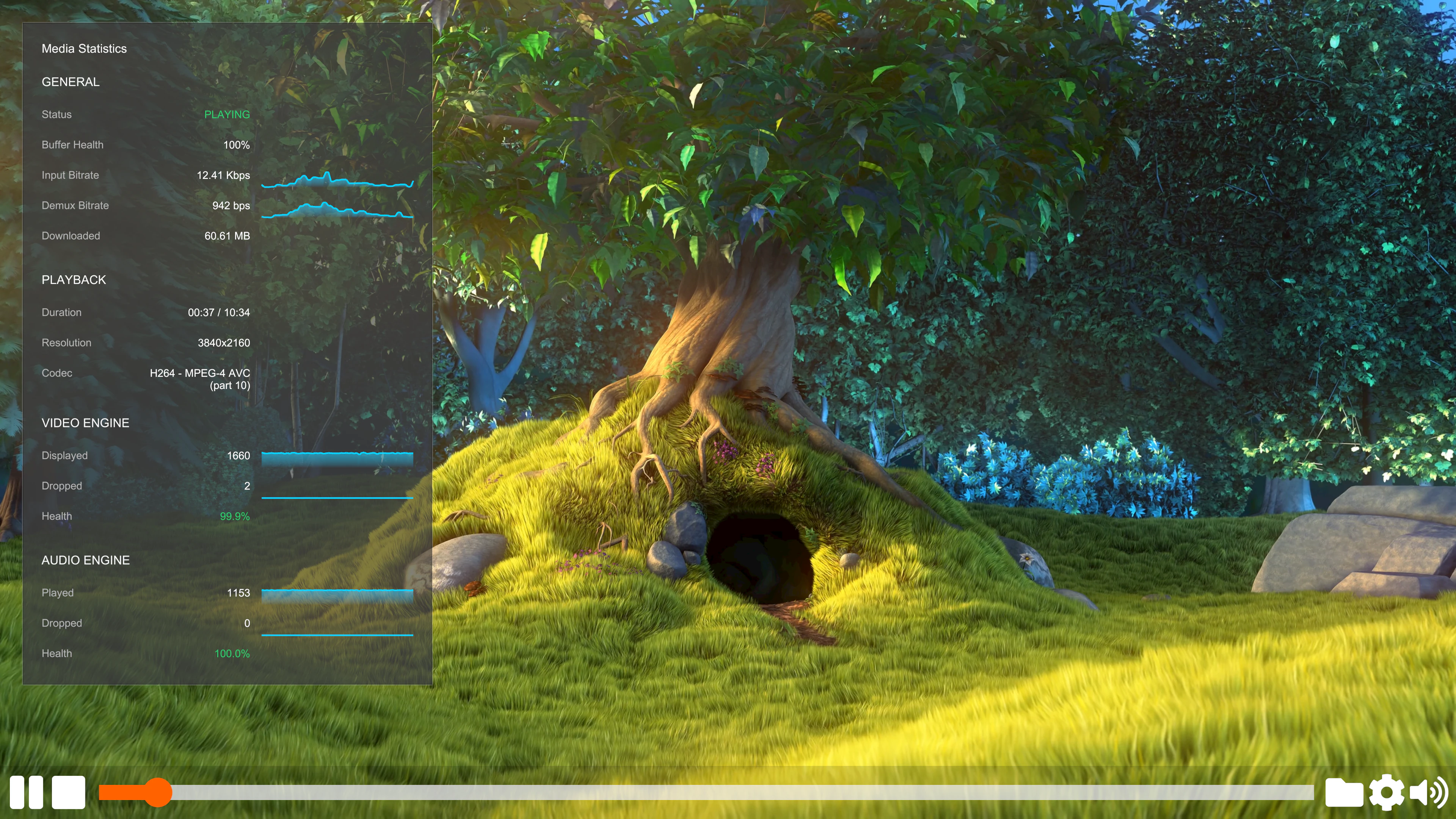
-
Demo Scenes: I created multiple sample scenes, including a Mosaic video layout and Timeline examples, to help developers easily test and understand the new features.
Future Work
While the core architecture is now centralized and feature-rich, this is just the foundation for future development. Moving forward, ideal next steps for the project include gathering community feedback, addressing edge cases across different operating systems, and ensuring the plugin remains stable as Unity continues to update its engine and rendering pipelines.
Wrapping Up the GSoC Journey
A massive thank you to my mentor, Martin Finkel, and the entire VideoLAN community. The developer experience improvements built this summer should make the VLC-Unity plugin much more accessible for game developers moving forward. Although the summer program is ending, I plan to stay actively involved as a contributor to help maintain these new features, address feedback, and continue improving the plugin alongside the community.